Documentation Index
Fetch the complete documentation index at: https://docs.sezzle.com/llms.txt
Use this file to discover all available pages before exploring further.
This guide walks you through integrating the Sezzle Android SDK into your app. By the end, your app will display Sezzle promotional messaging on product pages and launch Sezzle checkout.
Prerequisites
- Android 6.0+ (API 23), compileSdk 35+
- Kotlin or Java
- A Sezzle merchant account with your Public API Key
- A backend server to capture payments after checkout
A working example app is included in the SDK repo at example/. It demonstrates all widget variants and both checkout modes.
1. Installation
Gradle (Kotlin DSL)
Gradle (Groovy)
Add to your app module’s build.gradle.kts:dependencies {
implementation("com.sezzle:sezzle-merchant-sdk:1.2.1")
}
Add to your app module’s build.gradle:dependencies {
implementation 'com.sezzle:sezzle-merchant-sdk:1.2.1'
}
The SDK is published on Maven Central. No additional repository configuration is needed.
Requirements: Android 6.0+ (API 23), compileSdk 35+
2. Configuration
Initialize the SDK once at app startup in your Application class:
import com.sezzle.sdk.SezzleSDK
import com.sezzle.sdk.SezzleEnvironment
class MyApplication : Application() {
override fun onCreate() {
super.onCreate()
SezzleSDK.configure(
publicKey = "sz_pub_your_key_here",
environment = SezzleEnvironment.PRODUCTION // use SANDBOX for testing
)
}
}
| Parameter | Type | Default | Description |
|---|
publicKey | String | Required | Your Sezzle public API key |
environment | SezzleEnvironment | PRODUCTION | SANDBOX for testing, PRODUCTION for live |
Never include your private API key in the app. The SDK only uses the public key. Use your private key server-side to capture payments.
Add a SezzlePromotionalView to your product screen to display installment pricing:
import com.sezzle.sdk.SezzlePromotionalView
val promoView = SezzlePromotionalView(
context = this,
amountInCents = 9999 // $99.99
)
promoView.setPresenter(this) // Activity for modal presentation
container.addView(promoView)
The widget automatically shows the correct message based on the price and updates when you call:
promoView.update(amountInCents = 14999) // price changed to $149.99
All Parameters
SezzlePromotionalView(
context: Context,
amountInCents: Int,
currency: String = "USD",
style: SezzlePromotionalStyle = SezzlePromotionalStyle.LIGHT,
widgetConfig: SezzleWidgetConfig = SezzleWidgetConfig.DEFAULT
)
| Parameter | Type | Default | Description |
|---|
amountInCents | Int | Required | Product price in cents (e.g., 4999 = $49.99) |
currency | String | "USD" | ISO 4217 currency code (e.g., "USD", "CAD") |
style | SezzlePromotionalStyle | LIGHT | LIGHT for light backgrounds, DARK for dark |
widgetConfig | SezzleWidgetConfig | DEFAULT | Controls pricing thresholds and Pay-in-5 |
The widget auto-detects dark mode and switches styles automatically. If you want to force a specific style, pass SezzlePromotionalStyle.LIGHT or SezzlePromotionalStyle.DARK explicitly.
All config parameters are optional — the widget works out of the box with sensible defaults:
| Parameter | Default | Description |
|---|
minPriceInCents | 3500 ($35) | Minimum price to show the widget |
maxPriceInCents | 250000 ($2,500) | Maximum price for short-term (PI4/PI5) |
enablePayIn5 | true | Show “5 payments” for prices at or above the PI5 threshold |
pi5MinPriceInCents | 5000 ($50) | Price threshold for Pay-in-5 |
longTermConfig | null (disabled) | Enable long-term monthly payments — set to a SezzleLongTermConfig to activate |
To customize, pass only the values you want to override:
val config = SezzleWidgetConfig(
longTermConfig = SezzleLongTermConfig(
minPriceInCents = 25_000 // $250+ shows monthly payments
)
)
val promoView = SezzlePromotionalView(
context = this,
amountInCents = 79900,
widgetConfig = config
)
Custom Promotional Text
If you need full control over the UI, use SezzlePromoDataHandler to get a styled SpannableString with the Sezzle logo inline:
SezzlePromoDataHandler.getMessage(
context = this,
amountInCents = 9999
) { spannableString ->
myTextView.text = spannableString
}
4. Checkout
Build the Checkout Object
val checkout = SezzleCheckout(
customer = SezzleCustomer(
email = "customer@example.com",
firstName = "Jane",
lastName = "Doe",
phone = "+15551234567",
billingAddress = SezzleAddress(
street = "123 Main St",
city = "Minneapolis",
state = "MN",
postalCode = "55401",
countryCode = "US"
)
),
order = SezzleOrder(
referenceId = "order-12345",
description = "Wireless Earbuds",
amount = SezzleAmount(amountInCents = 4599, currency = "USD"),
items = listOf(
SezzleItem(
name = "Wireless Earbuds",
sku = "WE-001",
quantity = 1,
price = SezzleAmount(amountInCents = 3999, currency = "USD")
)
),
taxAmount = SezzleAmount(amountInCents = 350, currency = "USD"),
shippingAmount = SezzleAmount(amountInCents = 250, currency = "USD")
)
)
Customer Fields
| Field | Required | Description |
|---|
email | Yes | Customer email address |
firstName | No | Customer first name |
lastName | No | Customer last name |
phone | No | Customer phone number |
dob | No | Date of birth ("YYYY-MM-DD") |
billingAddress | No | Billing address (SezzleAddress) |
shippingAddress | No | Shipping address (SezzleAddress) |
tokenize | No | Tokenize customer for future orders |
Order Fields
| Field | Required | Description |
|---|
referenceId | Yes | Your internal order/reference ID |
description | No | Order description (defaults to “Mobile SDK Order”) |
amount | Yes | Total order amount in cents + currency |
intent | No | AUTH (default, capture later from your backend) or CAPTURE (auto-capture at checkout completion) |
items | No | Line item details |
discounts | No | Discount line items (List<SezzleDiscount>) |
taxAmount | No | Tax amount breakdown |
shippingAmount | No | Shipping amount breakdown |
metadata | No | Custom key-value pairs. The SDK automatically includes _sdk_platform, _sdk_version, _device_model, and _os_version — avoid using keys prefixed with _. |
locale | No | Checkout locale (EN_US, EN_CA, FR_CA) |
checkoutFinancingOptions | No | Restrict to specific plans: FOUR_PAY_BIWEEKLY, FOUR_PAY_MONTHLY, SIX_PAY_MONTHLY. Optional — omit to let Sezzle show all eligible plans. |
Address Fields (SezzleAddress)
| Field | Description |
|---|
name | Full name |
street | Street address line 1 |
street2 | Street address line 2 |
city | City |
state | State or province |
postalCode | Postal/ZIP code |
countryCode | ISO country code (e.g., "US") |
phone | Phone number |
Start Checkout
SezzleSDK.startCheckout(
checkout = checkout,
activity = this, // ComponentActivity
listener = checkoutListener, // SezzleCheckoutListener
mode = SezzleCheckoutMode.SYSTEM_BROWSER // or WEB_VIEW
)
The activity parameter must be a ComponentActivity (e.g., AppCompatActivity). The SDK uses the Activity Result API internally.
Handle the Result
Implement SezzleCheckoutListener:
private val checkoutListener = object : SezzleCheckoutListener {
override fun onCheckoutComplete(result: SezzleCheckoutResult) {
// For this flow, `result.orderUUID` is populated.
// (For the server-driven flow, see Section 8.)
result.orderUUID?.let { orderUUID ->
// Send orderUUID to your backend to capture payment
// POST /v2/order/{orderUUID}/capture
Log.d("Sezzle", "Order completed: $orderUUID")
}
}
override fun onCheckoutCancel() {
// Customer closed checkout without completing
Log.d("Sezzle", "Checkout cancelled")
}
override fun onCheckoutError(error: SezzleError) {
// Handle the error
when (error) {
is SezzleError.NetworkError ->
Log.e("Sezzle", "Network error: ${error.underlying}")
is SezzleError.ApiError ->
Log.e("Sezzle", "API error ${error.statusCode}: ${error.apiMessage}")
is SezzleError.BrowserDismissed ->
Log.d("Sezzle", "Browser dismissed")
is SezzleError.NotConfigured ->
Log.e("Sezzle", "SDK not configured")
is SezzleError.InvalidResponse ->
Log.e("Sezzle", "Invalid response")
}
}
}
After onCheckoutComplete, send result.orderUUID to your backend server. Your server should call POST /v2/order/{orderUUID}/capture using your private API key to capture the payment. See the Orders API for details.
5. WebView Mode
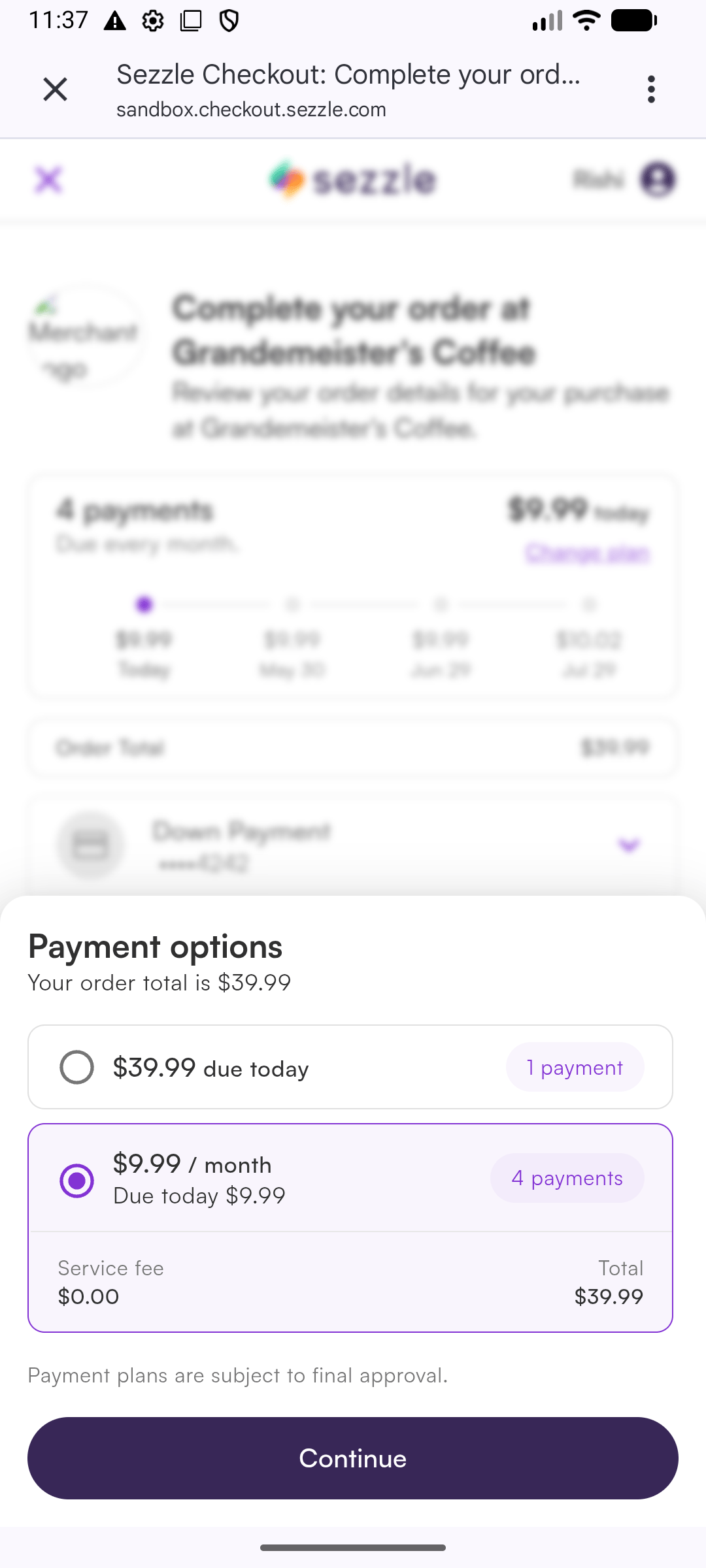
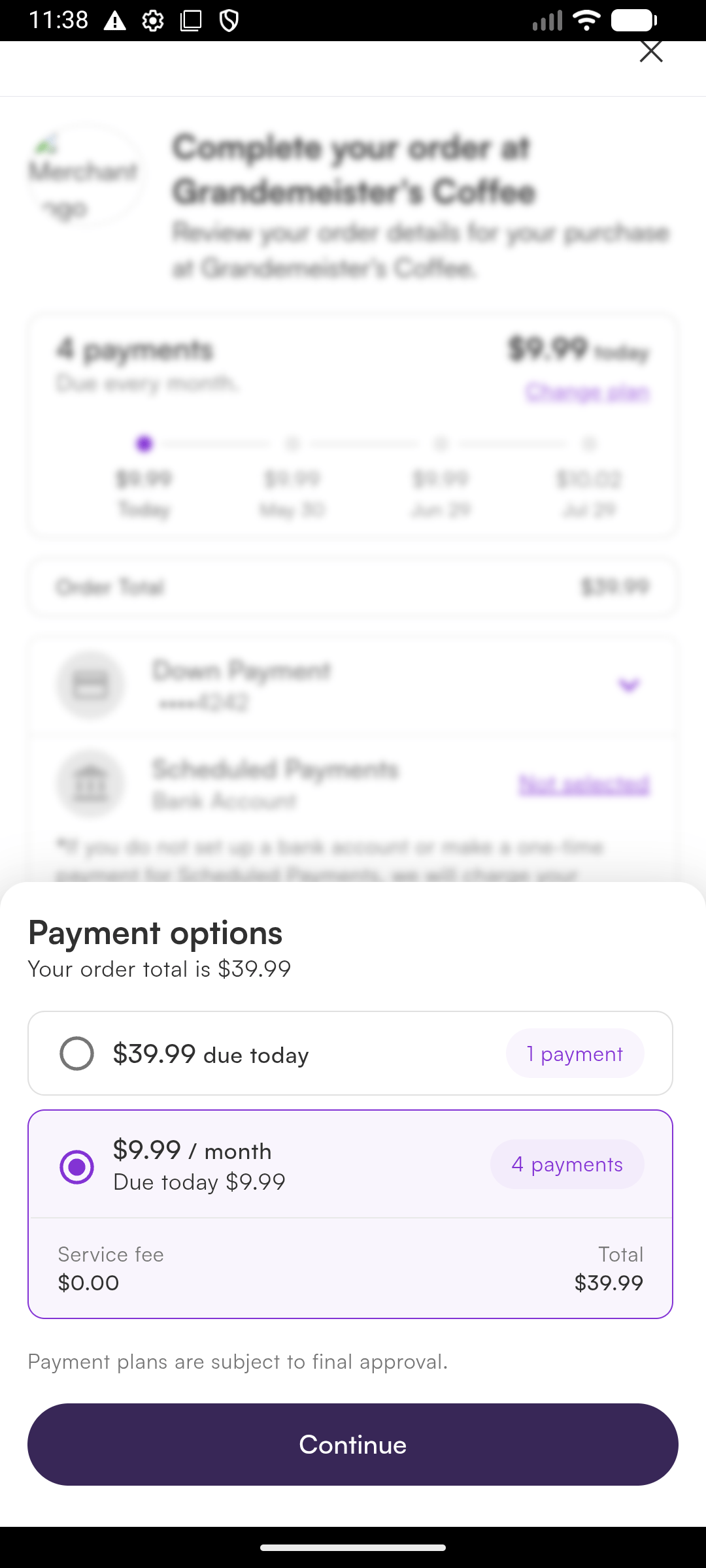
By default, checkout opens in Chrome Custom Tabs — a secure browser tab that runs in its own process and shares cookies with Chrome (faster login for returning Sezzle users). To keep the user inside your app, use WebView mode:
SezzleSDK.startCheckout(
checkout = checkout,
activity = this,
listener = checkoutListener,
mode = SezzleCheckoutMode.WEB_VIEW
)
System Browser (Default)
WebView
| Mode | Pros | Cons |
|---|
SYSTEM_BROWSER | Secure, shares Chrome cookies, recommended | Brief context switch |
WEB_VIEW | Stays in-app | No cookie sharing, user logs in every time |
6. Dark Mode
The SDK automatically adapts to the device’s appearance setting. The promotional widget, installment modal, and checkout modal all support dark mode.
If you need to force a specific style:
val promoView = SezzlePromotionalView(
context = this,
amountInCents = 9999,
style = SezzlePromotionalStyle.DARK // force dark style
)
7. Error Handling
All errors are delivered via SezzleCheckoutListener.onCheckoutError(error):
| Error | When | Suggested Action |
|---|
NotConfigured | SezzleSDK.configure() was not called | Call configure() in your Application class |
NetworkError | No internet, timeout, DNS failure | Show retry option |
ApiError(statusCode, apiMessage) | Sezzle API returned an error | Check status code and message |
BrowserDismissed | User closed the browser/WebView | Return to product page |
InvalidResponse | Unexpected response format | Contact Sezzle support |
8. Server-Driven Integration
For larger merchants who prefer a fully server-driven integration — no public key on-device, with the backend owning session creation, capture, and refunds — use the alternative startCheckout overload introduced in 1.2.0.
How it works
Your backend creates the checkout session via POST /v2/session with merchant-chosen callback URLs, then hands order.checkout_url plus those URLs to the app. The SDK opens the URL, intercepts navigation to your callback URLs, and reports back via SezzleCheckoutListener.onCheckoutComplete(result) with the full callback URL — so you can encode your own state in the query string and recover it on completion.
Step 1 — Backend creates the session
Pick any callback URLs you want — a custom scheme like yourapp-sezzle://... or HTTPS deep links. You can encode state in the query string (e.g. yourapp-sezzle://done?orderRef=12345) and recover it from the SDK callback.
Persist order.uuid server-side; the app only needs order.checkout_url plus the two callback URLs.
Don’t put PII, auth tokens, or anything sensitive in the callback URL query string. The callback URL is rendered in the browser and may be logged. Use opaque references (a random orderRef mapped server-side) — never the customer’s email, phone, payment data, or session tokens.Custom URL schemes are also not exclusive — another app installed on the device can register the same scheme and intercept the callback. For maximum security in production, use App Links (verified HTTPS deep links) on Android — they’re tied to a domain you control, so other apps can’t claim them.
Step 2 — App presents checkout
SezzleSDK.startCheckout(
checkoutUrl = checkoutUrl, // from order.checkout_url (String — pass through as-is)
completeUrl = Uri.parse("yourapp-sezzle://checkout/done"), // matches your server's complete_url.href
cancelUrl = Uri.parse("yourapp-sezzle://checkout/cancelled"), // matches your server's cancel_url.href
activity = this,
listener = checkoutListener,
mode = SezzleCheckoutMode.WEB_VIEW // or SYSTEM_BROWSER
)
SezzleSDK.configure(...) is not required for this flow — there’s nothing for the SDK to authenticate.
Step 3 — Read the result
override fun onCheckoutComplete(result: SezzleCheckoutResult) {
val callbackURL = result.callbackURL ?: return
val orderRef = callbackURL.getQueryParameter("orderRef")
// Look up orderRef in your backend, then call /v2/order/{order.uuid}/capture
}
Manifest note for SYSTEM_BROWSER mode
SYSTEM_BROWSER mode opens checkout in Chrome Custom Tabs and routes the redirect back via the OS intent system. The SDK ships an intent-filter for sezzle-sdk://checkout only — if you use a custom callback scheme, register an intent-filter for your scheme in your own AndroidManifest.xml, pointing at SezzleRedirectActivity:
<activity
android:name="com.sezzle.sdk.checkout.SezzleRedirectActivity"
android:exported="true"
android:launchMode="singleTask"
android:theme="@android:style/Theme.Translucent.NoTitleBar"
tools:replace="android:exported">
<intent-filter>
<action android:name="android.intent.action.VIEW" />
<category android:name="android.intent.category.DEFAULT" />
<category android:name="android.intent.category.BROWSABLE" />
<data android:scheme="yourapp-sezzle" android:host="checkout" />
</intent-filter>
</activity>
WEB_VIEW mode needs no manifest work — any scheme is intercepted by the WebView client directly.
Notes
- Match your URLs. Whatever your backend passed as
complete_url.href / cancel_url.href, pass the same Uri to startCheckout. The SDK matches on scheme + host + path; query params on the inbound URL are read by you.
order.uuid lives on your server. It’s not in the checkout_url and isn’t echoed back — your backend already has it from the session-creation response.
9. Testing
Use the sandbox environment for testing:
SezzleSDK.configure(
publicKey = "sz_pub_your_sandbox_key",
environment = SezzleEnvironment.SANDBOX
)
Use the test data to complete test checkouts in sandbox.
Switch to SezzleEnvironment.PRODUCTION and your live public key before releasing to the Play Store.