Install the Sezzle Shoplazza app
- Log in to your website’s Shoplazza admin
-
Go to
Settings>Payments -
Click
Add payment provider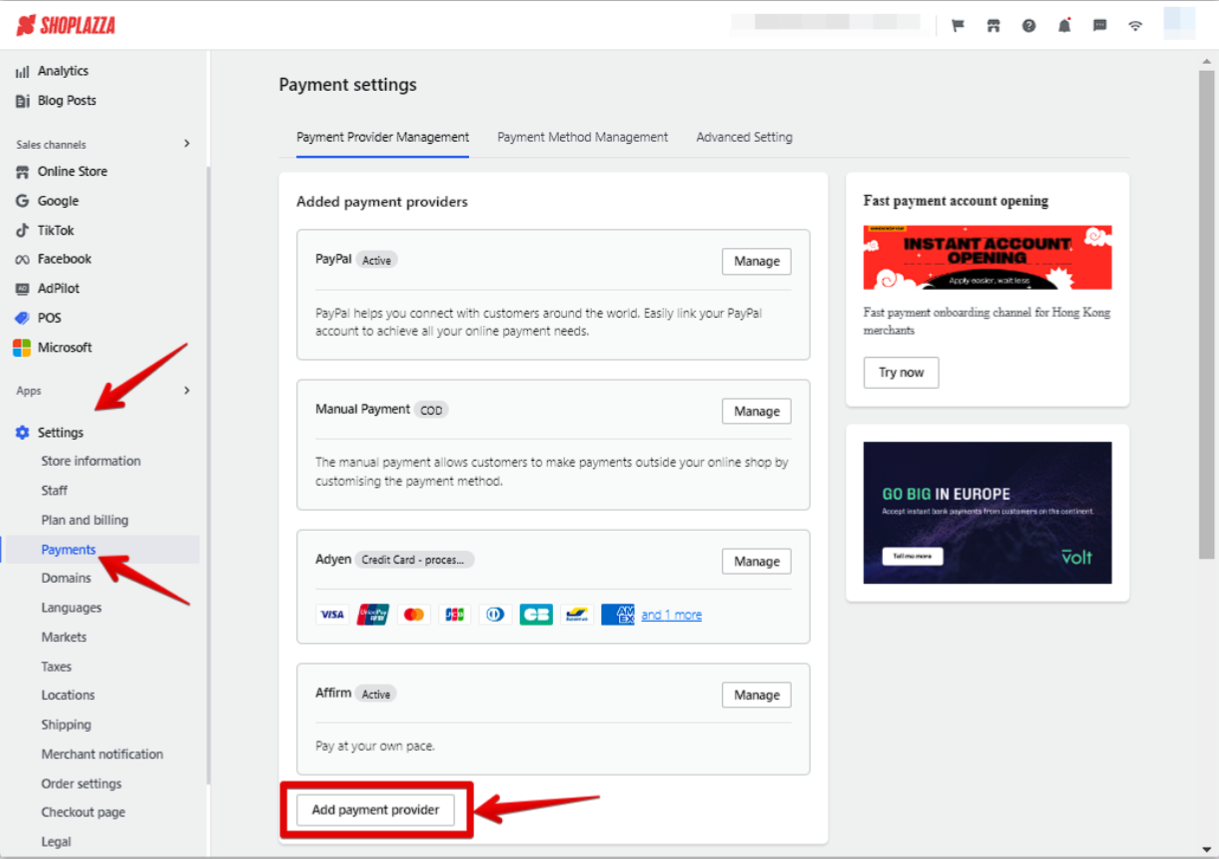
-
On the
Search by payment methodstab, typeSezzleinto the search bar, and select it from the results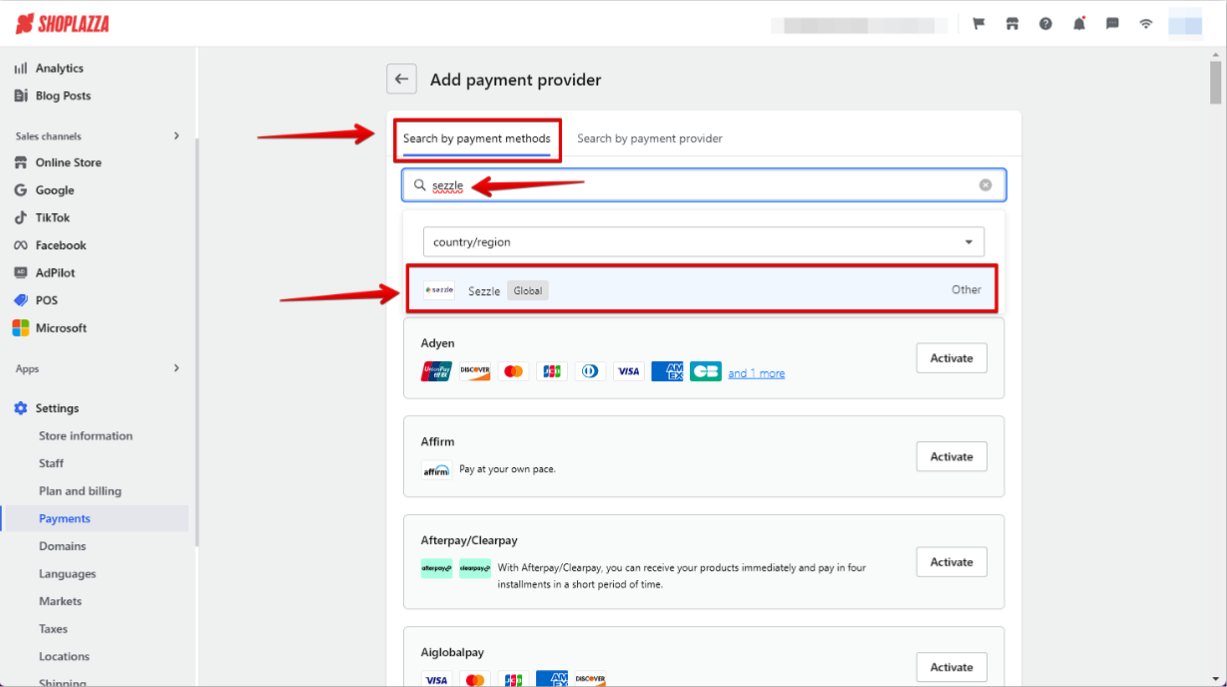
-
Click
Activate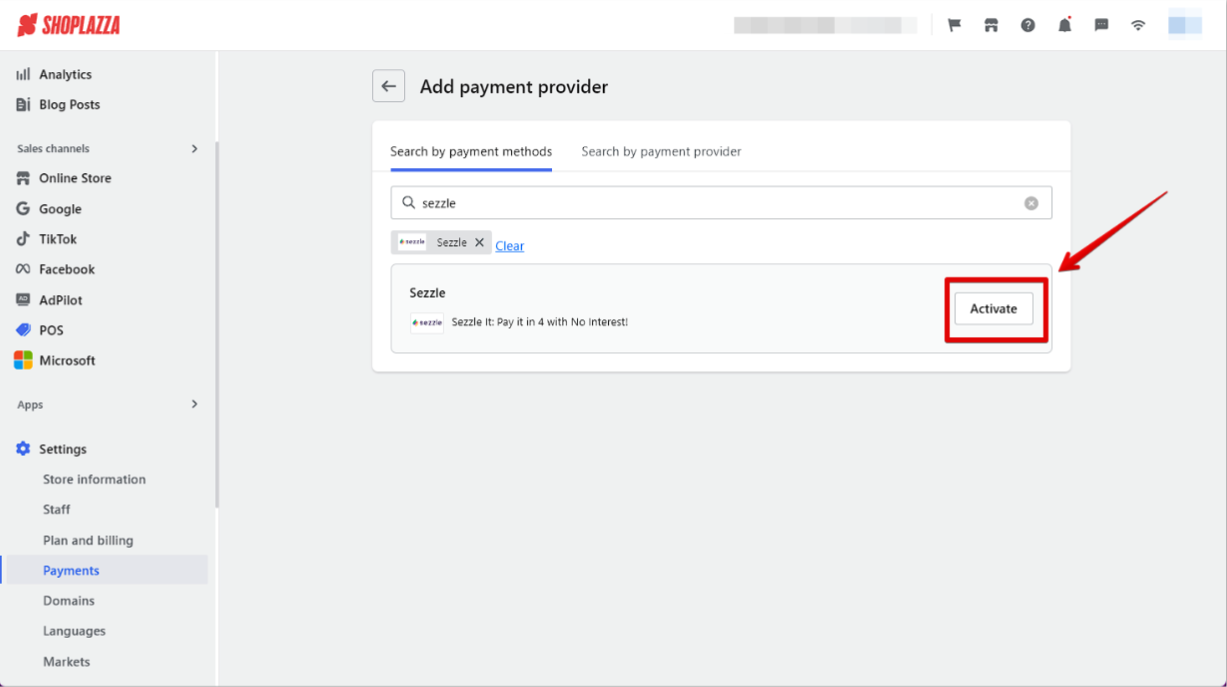
Admin Configuration
-
Go to
Settings>Payments -
Click
Manage -
Copy your Private Key and Public Key from your Sezzle Merchant Dashboard
- Paste them into the corresponding fields
-
Click
Activate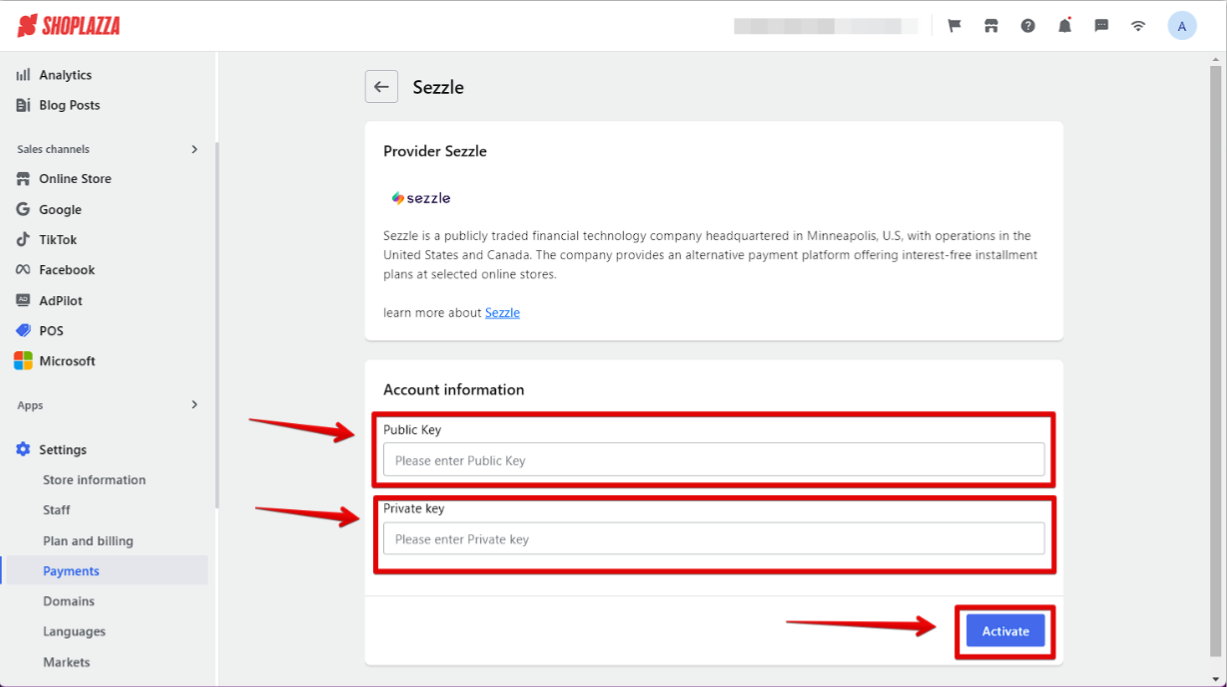
Validate
Step through a test checkout to validate the integration is properly installed.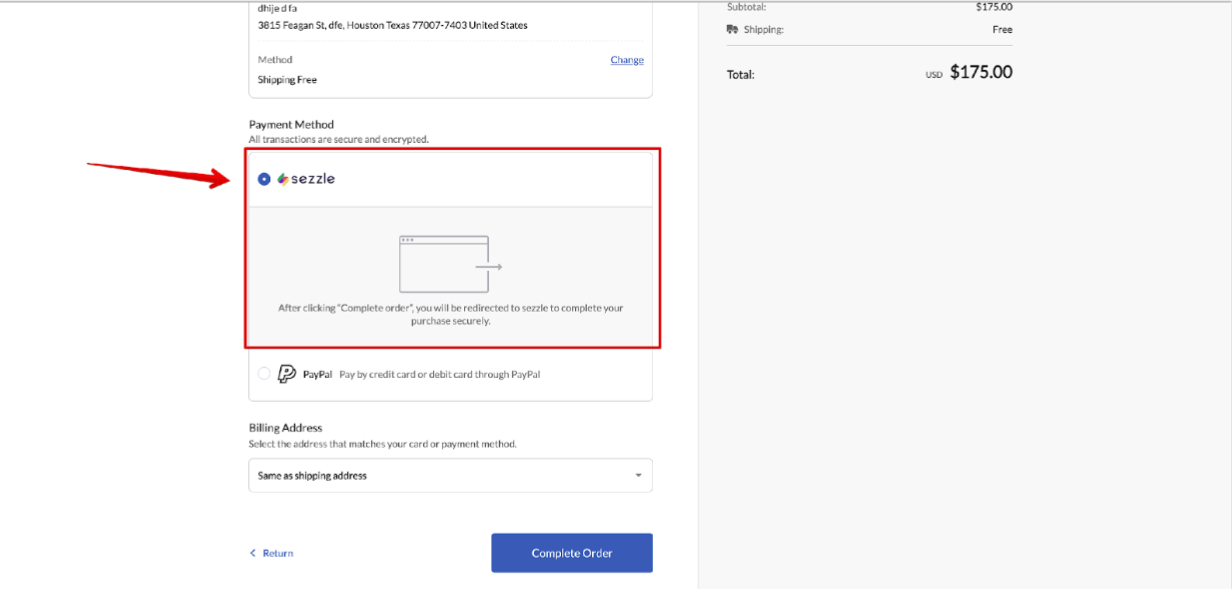
Troubleshooting
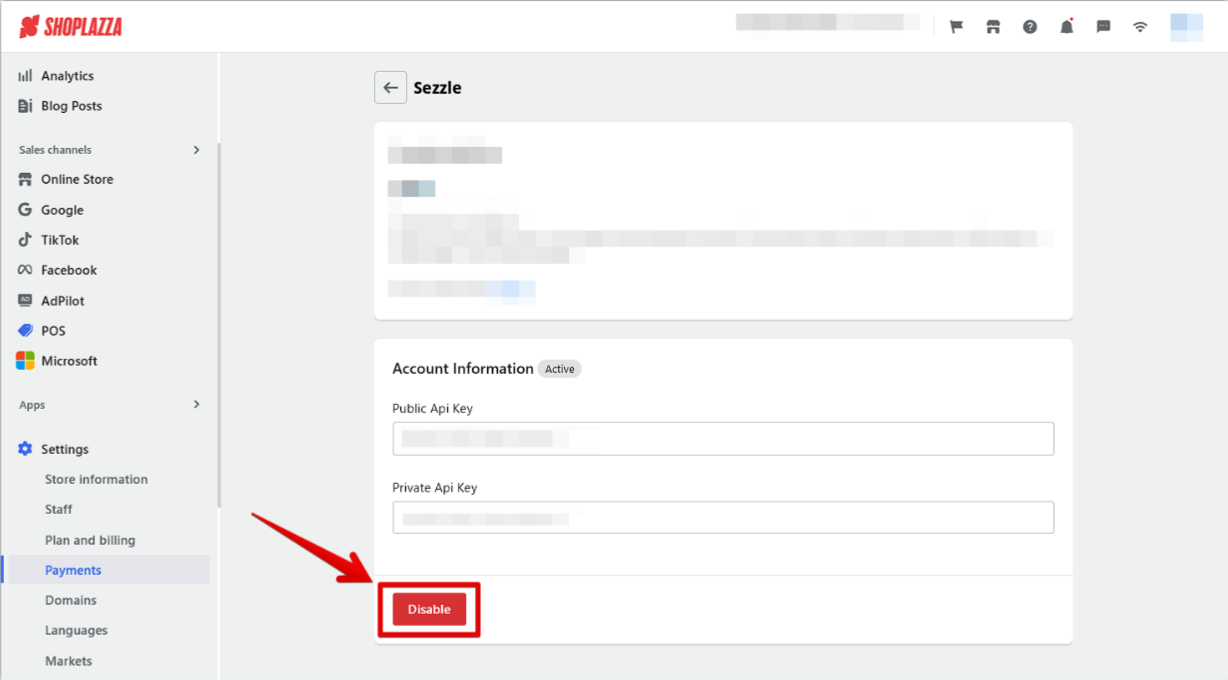
Coming soonUninstall the Sezzle Shoplazza app
-
Go to
Settings>Payments -
Click
Manage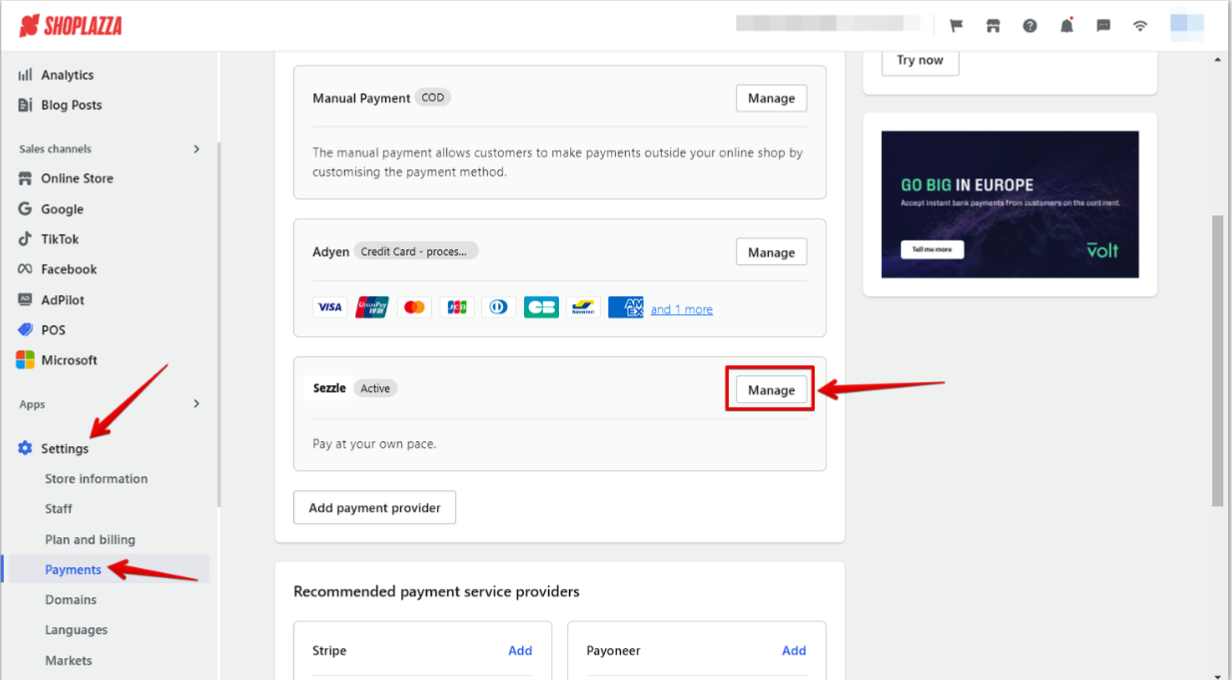
-
Click
Disable